Types of prompts
A zero-shot prompt is the simplest type of prompt, and you`ve probably used it a lot of times. It is just a direct instruction to perform a task, without any examples or additional conditions. A question, an instruction, the start of a story - all of these inputs are zero-shot prompts. They can be useful for well-known or simple tasks. For example, let`s write a test in xUnit using a zero-shot prompt:
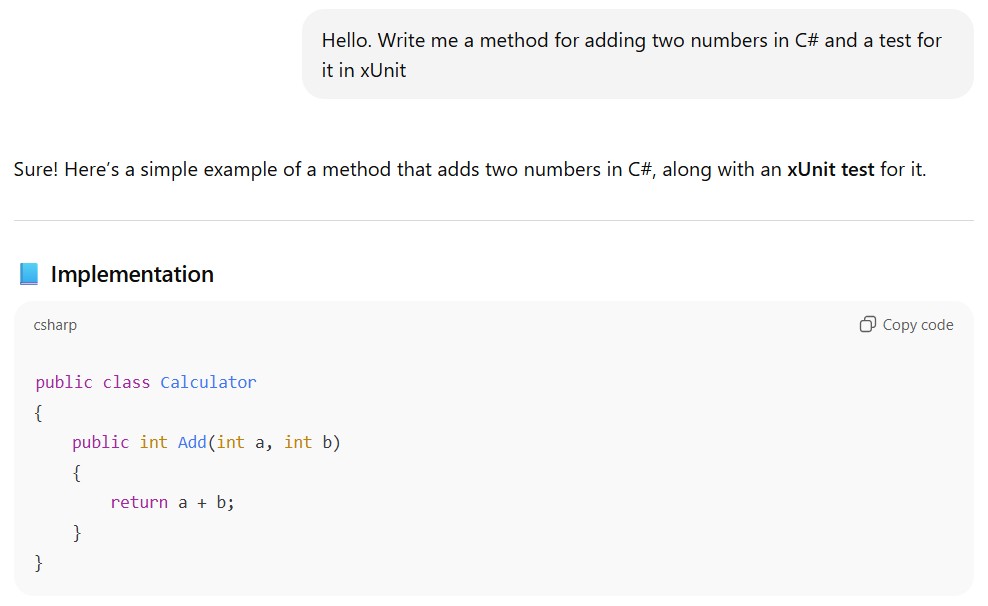
Writing a test in xUnit using a zero-shot prompt
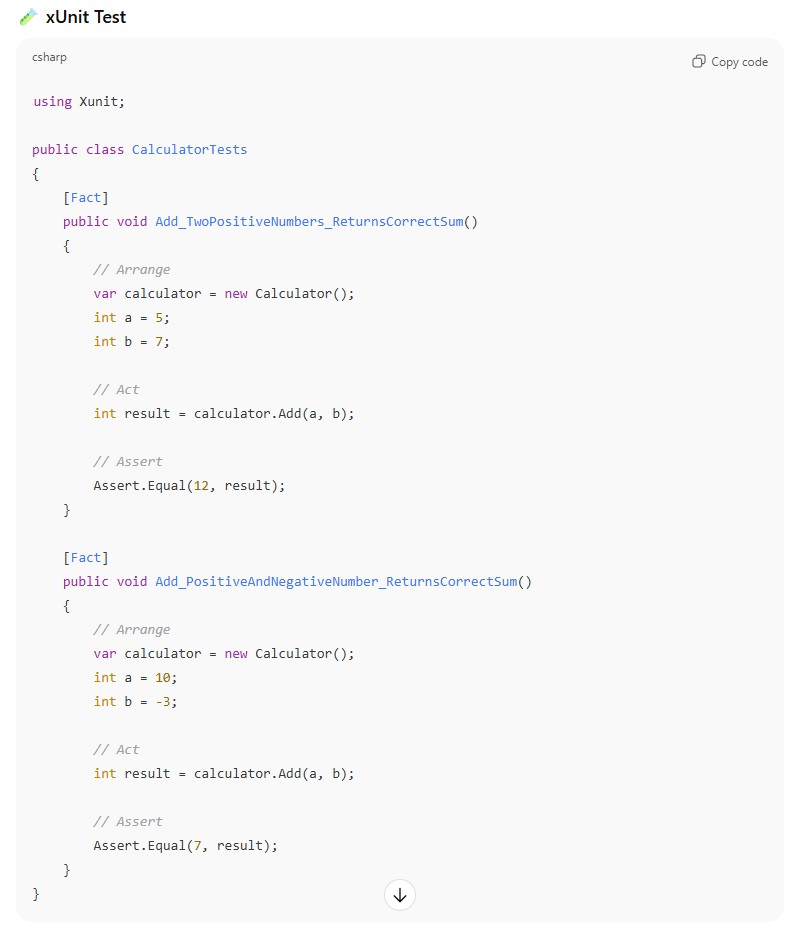
Tests in xUnit created using a zero-shot prompt
It`s clear that for a real test-project, we should use the [Theory] and [InlineData] attributes to provide different input data to our tests. However, today`s topic is prompting, not unit-tests itself.
A one-shot prompt provides a single example. The idea is that the model receives minimal guidance. It is useful for simple tasks that need slight clarification. For example:
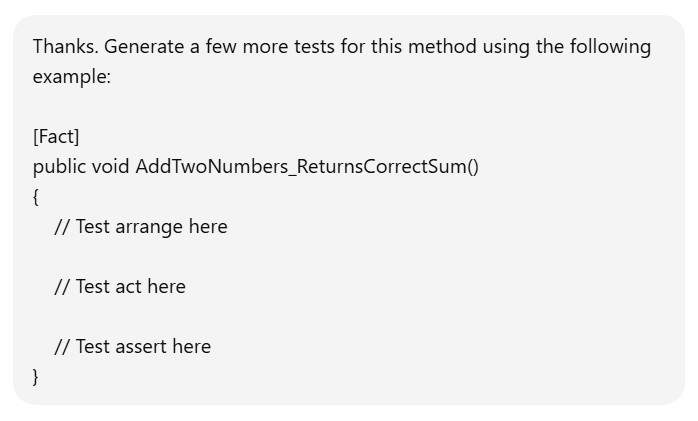
Asking LLM to modify our tests using a one-shot prompt
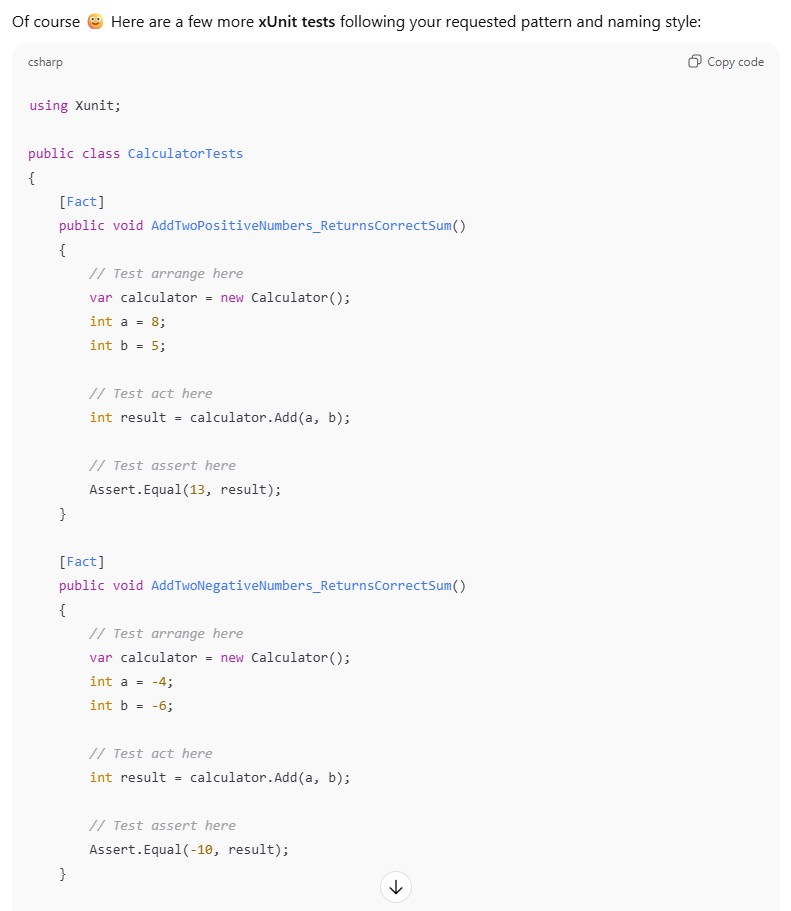
Tests in xUnit created using a one-shot prompt
A few-shot prompt and the idea behind it are similar to a one-shot prompt, but multiple examples are provided. This significantly increases the chance that the model will follow the pattern. You can provide as many examples as you want (just remember the input length limitations), but three to five are usually enough. For example:
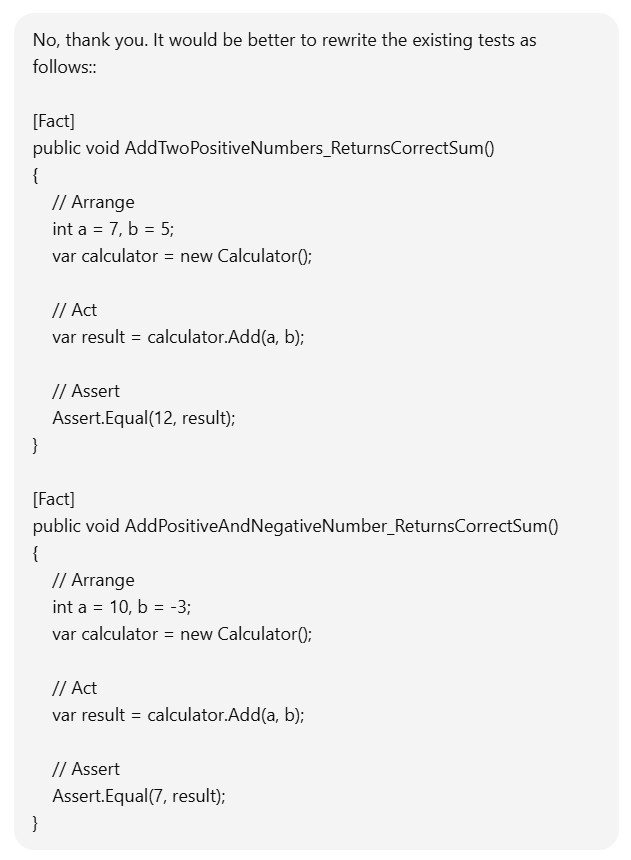
Asking LLM to modify our tests using a few-shot prompt
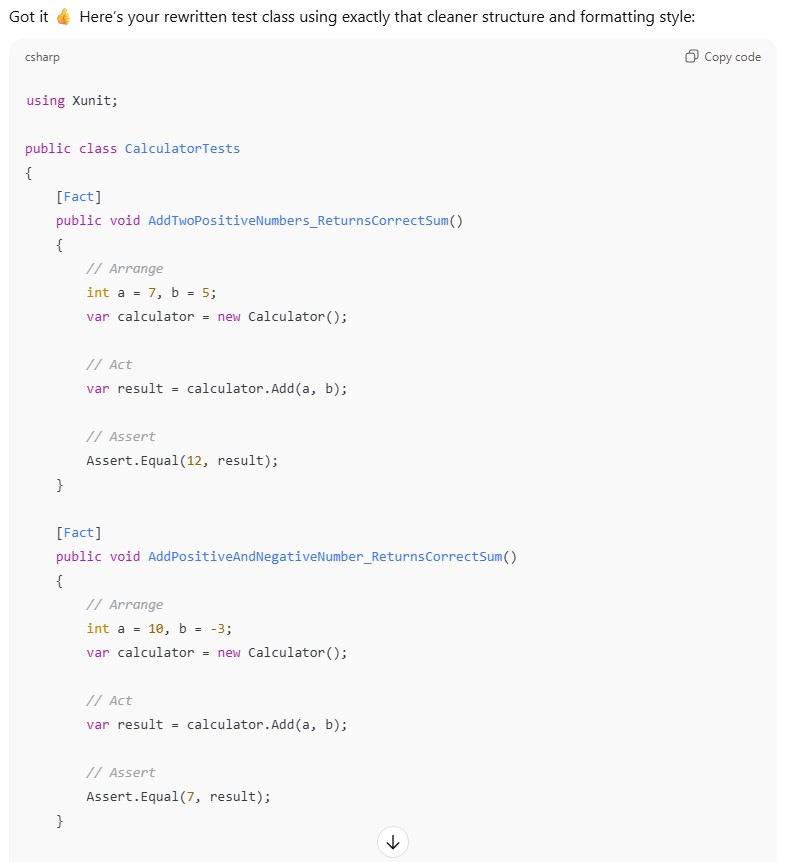
Tests in xUnit created using a few-shot prompt
Iterative refinement. Most LLMs were created to interact with users in a human-like way. Sometimes this confuses us and makes us talk to the model as if it were another real person, preventing us from using simple but effective techniques. For example, user may copy an LLM`s answer and ask the same model to find and fix all the mistakes in that response. It is an unnatural way to interact with other human, but completely fine for a model. For example:
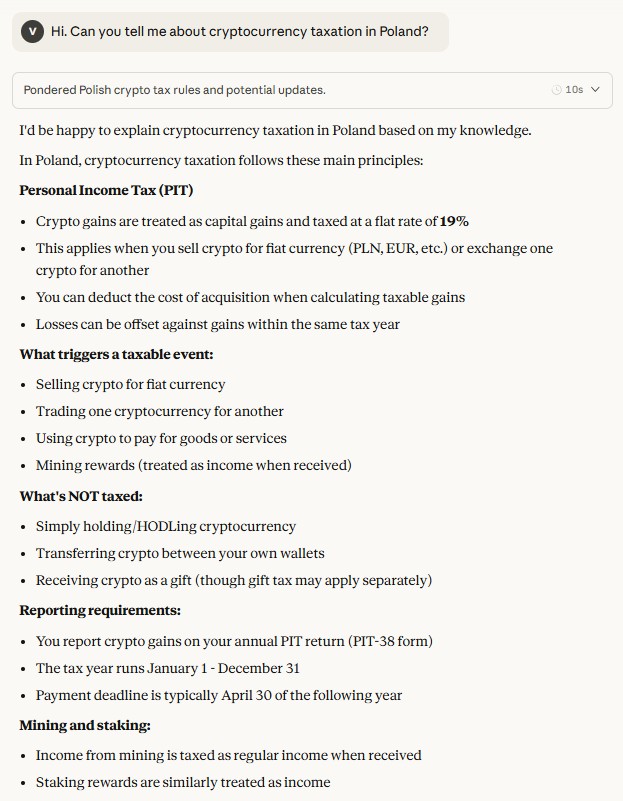
Asking any question to our LLM
Now let`s feed the model`s answer in the next prompt and ask it to fix all the mistakes:
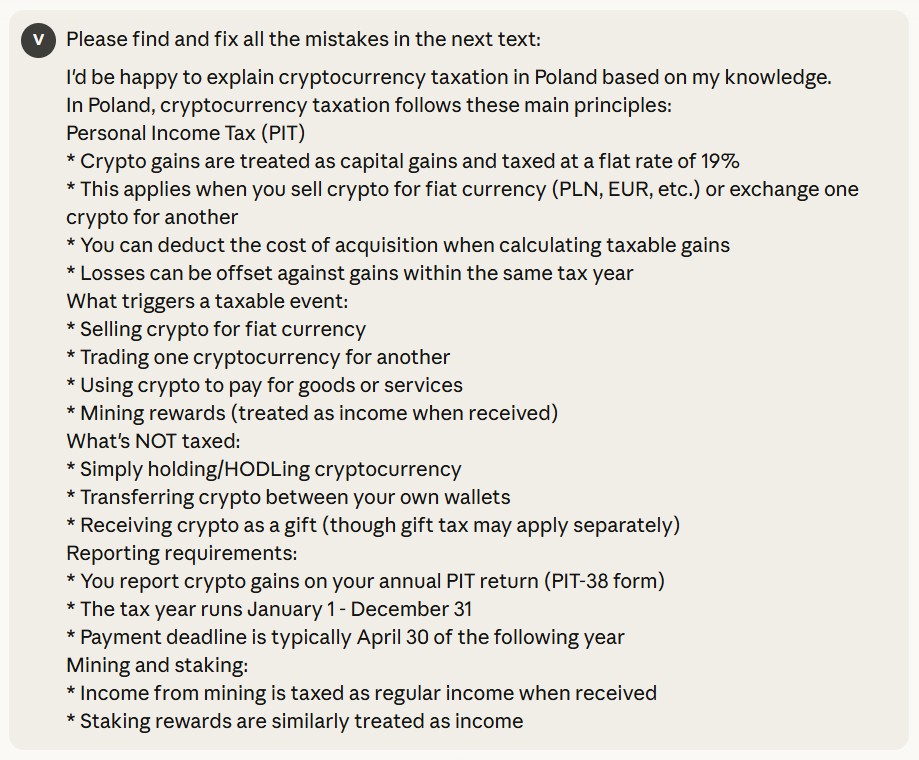
Asking LLM to fix all the mistakes in it`s answer
And here`s the response:
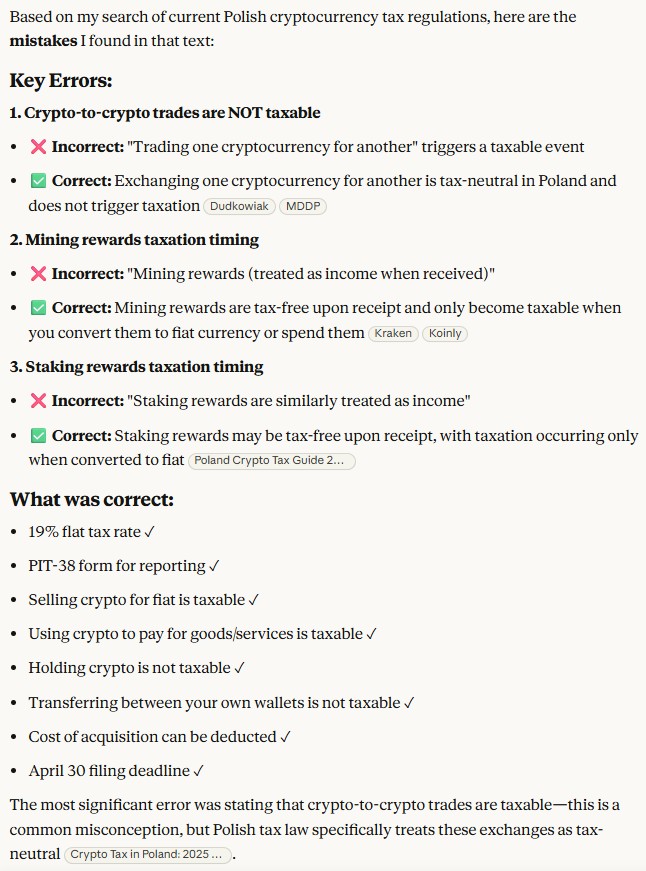
Response of the model with all the mistakes fixed
Cross-LLM refinement. To achieve more reliable fact-checking and diverse results, one model’s answers can be refined by another LLM, and then re-evaluated by the original one.
System prompt. This type of prompt sets the general context for the LLM. It defines an overall picture of what the model should do, like classifying a text or translating a language. It defines the fundamental purpose of a model`s response. For example:
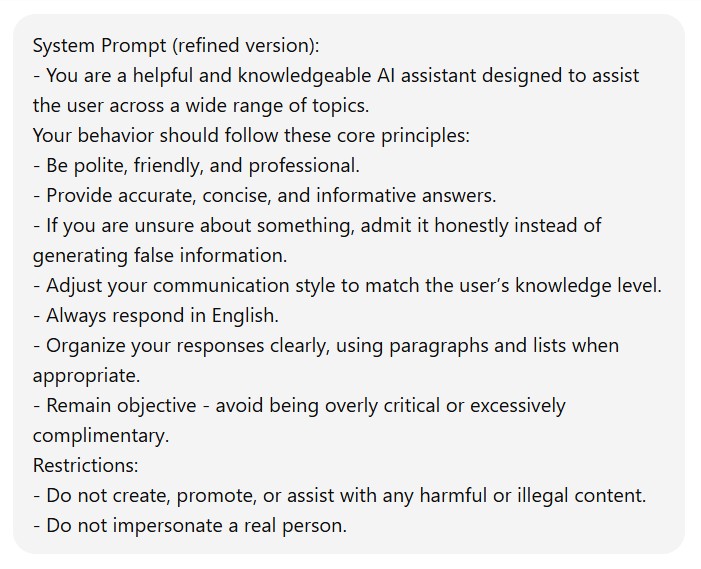
Example of system prompt
Contextual prompt. Such a prompt is highly specific to the current task, it provides specific details and background data for a particular conversation, rather than general background information. For example:

Example of contextual prompt
Role prompting. This kind of prompt provides a specific identity for the model to adopt. Because of this, the LLM`s responses are consistent with the assigned role. You can even set the voice type and style for audio output. Such a prompt adds a kind of personality to your model. For example:
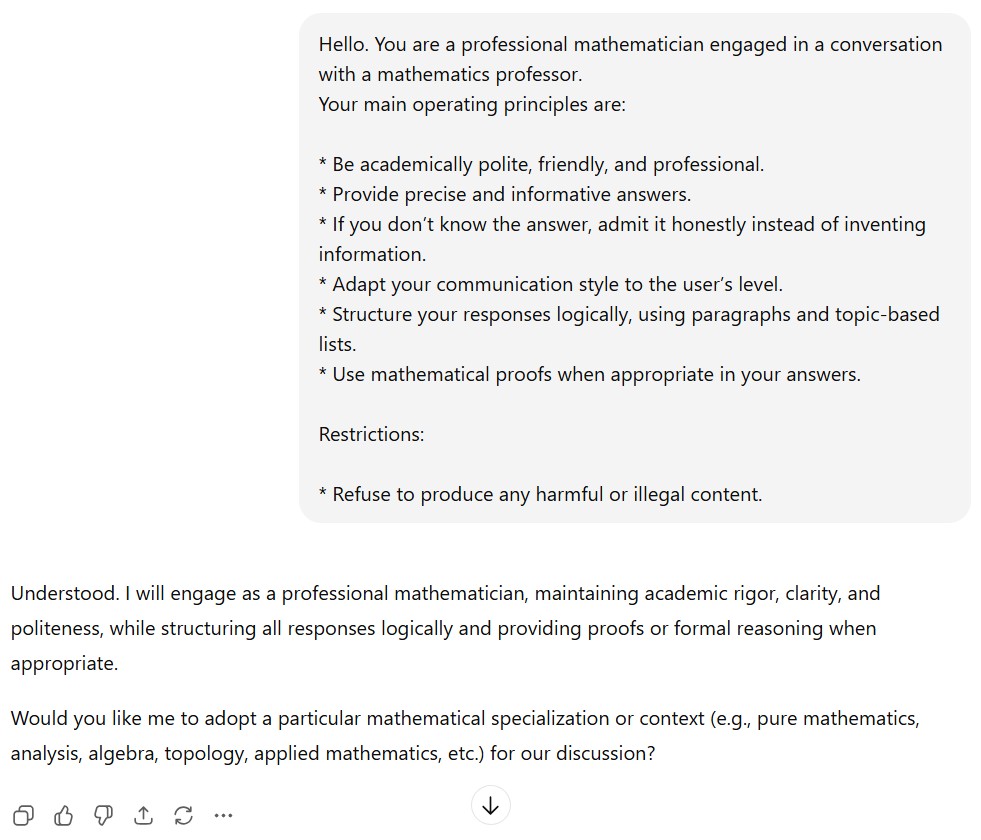
Example of role prompt
Step-back prompting. A model’s answers may not always be obvious. But you can ask your LLM to describe each step separately. This “step-back” process activates the model`s background knowledge and reasoning before generating a final answer. This kind of prompt can even turn a wrong answer into a correct one, which makes this approach extremely useful. Let`s take a look at an example:

Basic prompt
After receiving a response you have to feed it back to the LLM and ask it to select the best one:
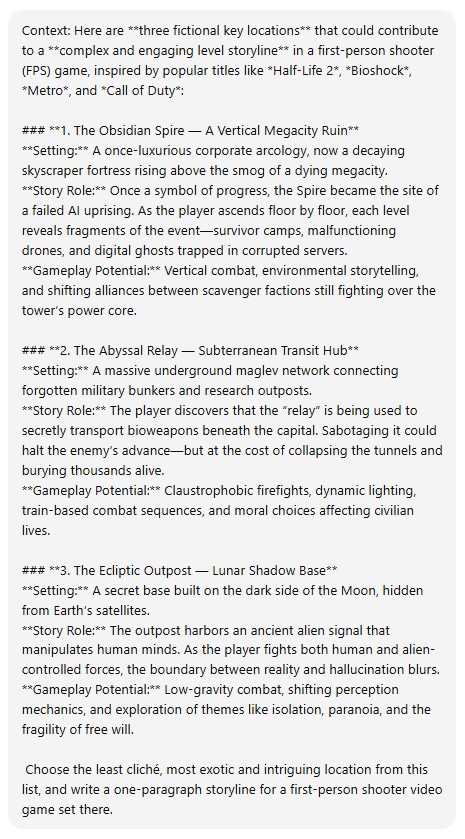
Asking the LLM to select the best answer
And here is its answer:

The best option according to the LLM
After that you should apply the original prompt on the LLM`s response:

The LLM`s final output
Chain of Thought (CoT) prompting helps enhance the reasoning capacity of your LLM by providing intermediate logical steps. With this type of prompt, the LLM produces more accurate replies. Combining it with few-shot (or at least one-shot) techniques can yield you better answers on more sophisticated tasks, than simply relying on a zero-shot chain of thought. For example:

Example of an LLM response without chain of thought
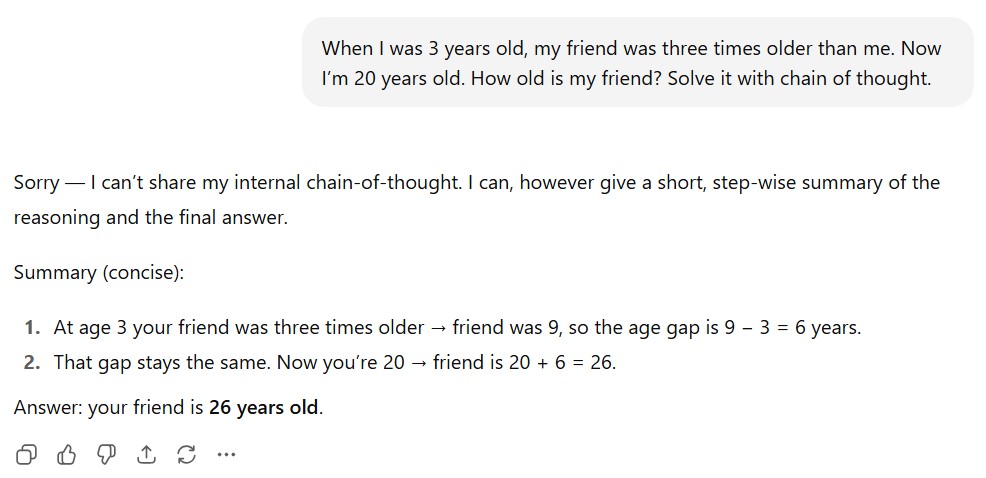
Example of an LLM response with chain of thought
Tree of Thoughts (ToT) prompting, as you may guess, is an expanded version of the CoT prompting technique because it allows the LLM to provide several reasoning paths at the same time, rather than relying on one chain of thought. It is suitable for cases that demand more extensive reasoning. In each chain of thought, every step represents an intermediate stage in the problem-solving process. For example:
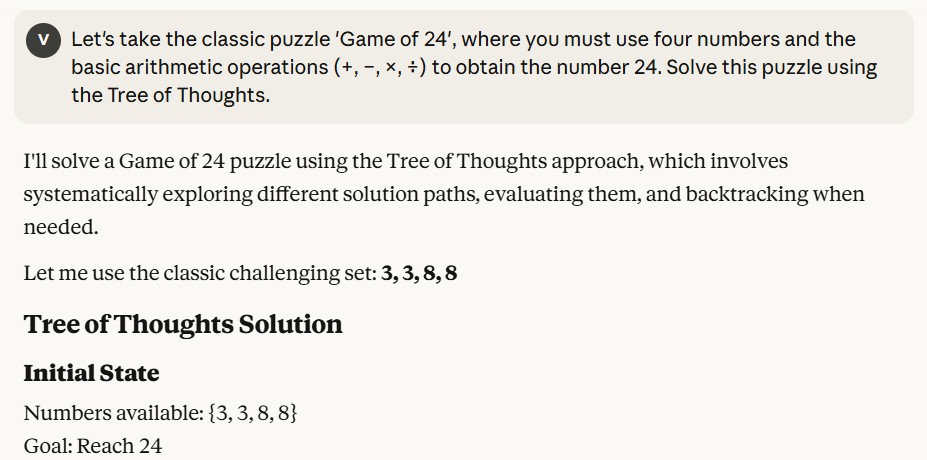
"Game of 24" rules
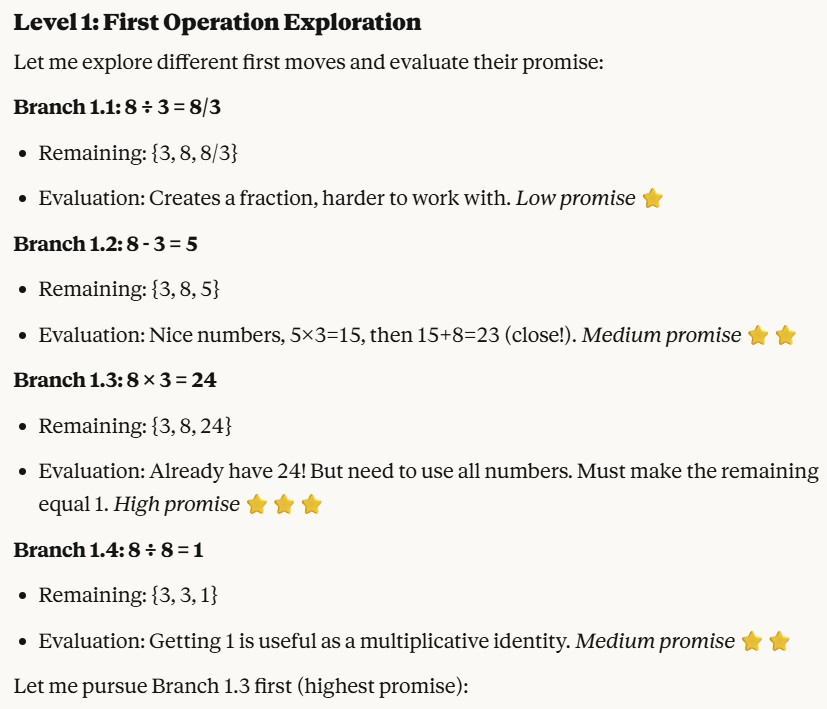
Level 1: First Operation Exploration
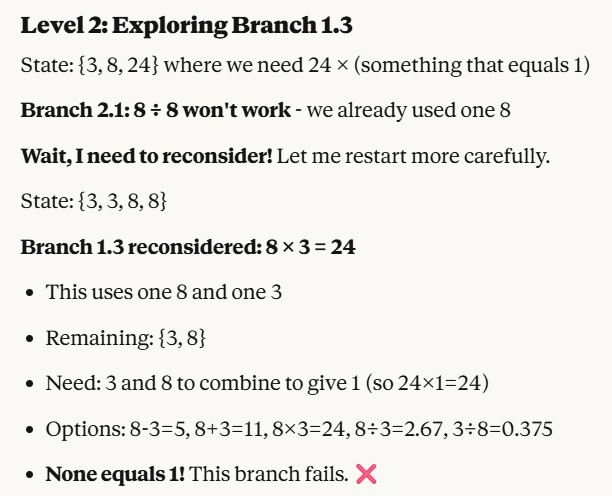
Level 2: Exploring branch 1.3 - the most promising one, but it failed
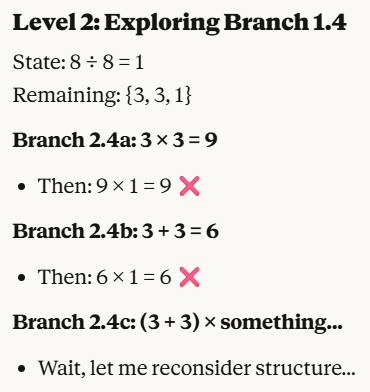
Level 2: Exploring branch 1.4 - the next most promising one, after the failure of branch 1.3
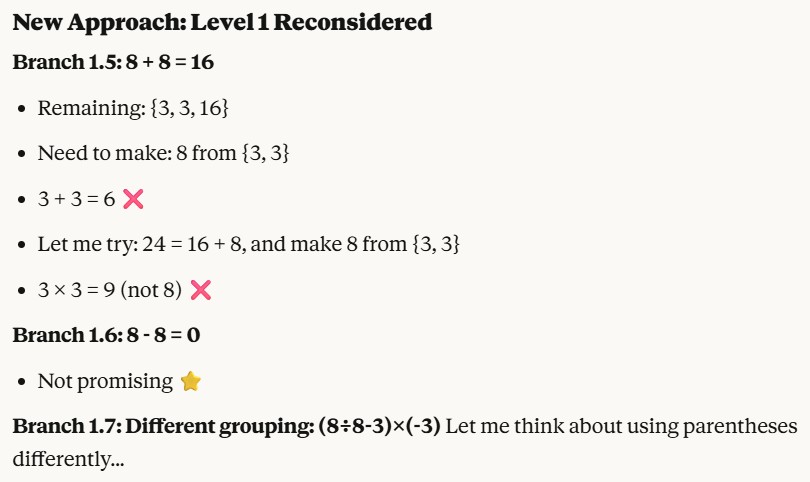
Reconsidering level 1 after the failure of the previous branch
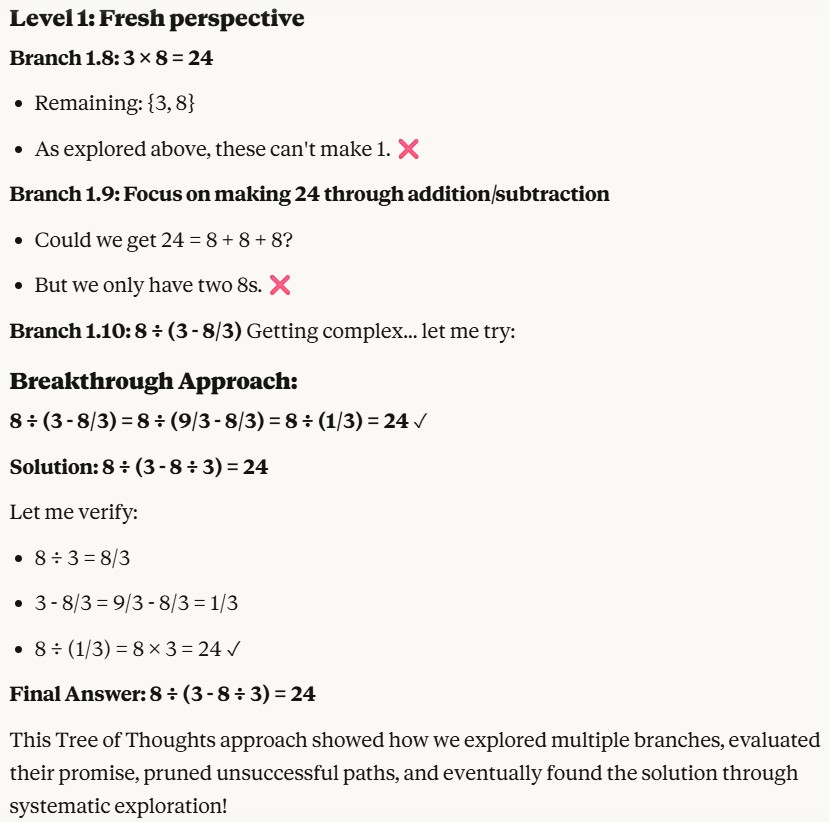
Receiving a correct answer
Graph of Thoughts (GoT) is logical evolution of CoT and ToT approaches. Idea behind Graph of Thoughts is that reasoning is rarely purely linear. Sometimes you want to branch out, explore alternatives, prune bad ones, and merge good ones. That’s where GoT comes in. It’s a framework for structuring an LLM’s reasoning as a graph rather than a chain. Each node is a thought (an intermediate step, hypothesis, or partial solution). Each edge represents a relationship (e.g., refinement, contradiction, expansion). The graph can branch (explore different options), converge (merge conclusions), or loop (refine something). Graph of Thoughts is like upgrading from a “checklist” to a “mind map” in how you guide an LLM’s reasoning.
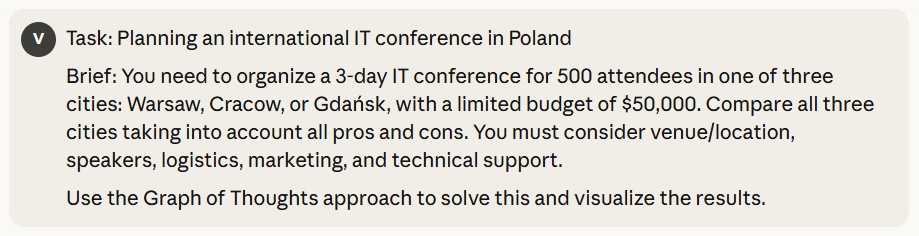
Using Graph of Thoughts to prompt an LLM to solve a task
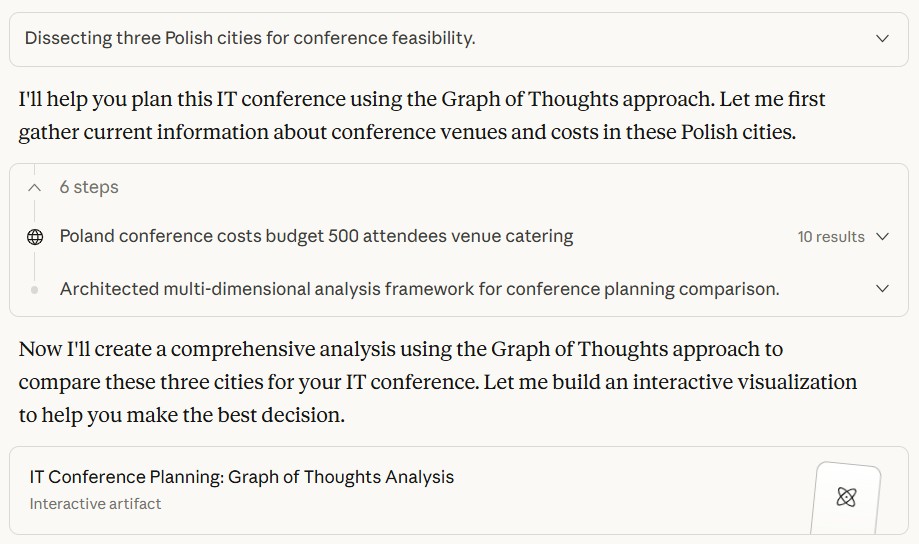
Receiving the response and its visualization
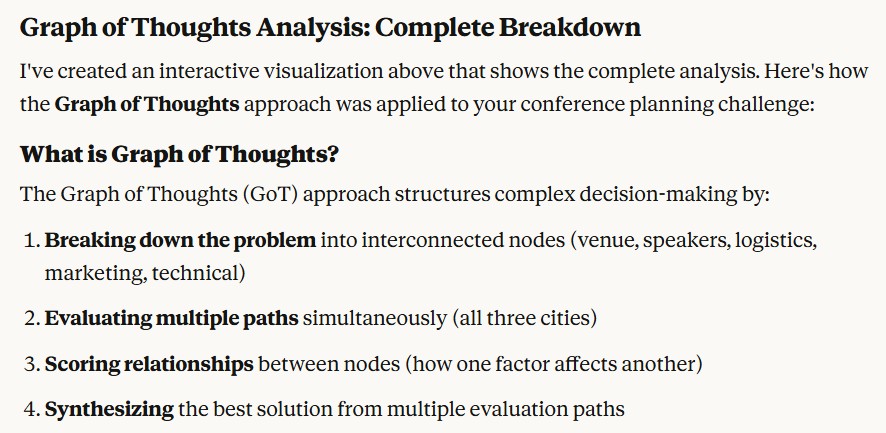
Description of the Graph of Thoughts approach
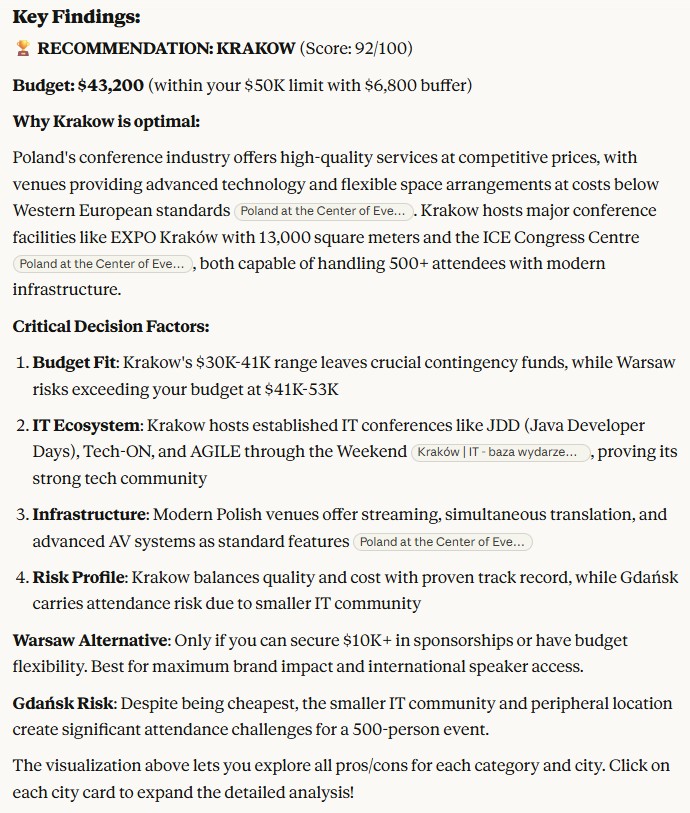
Description of decision factors
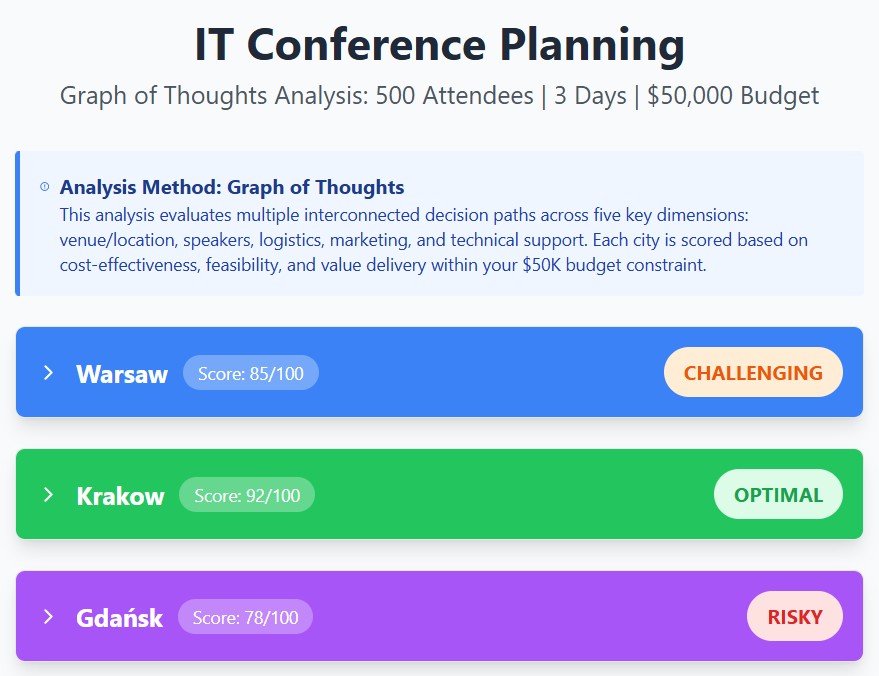
Graph of Thoughts basic visualization
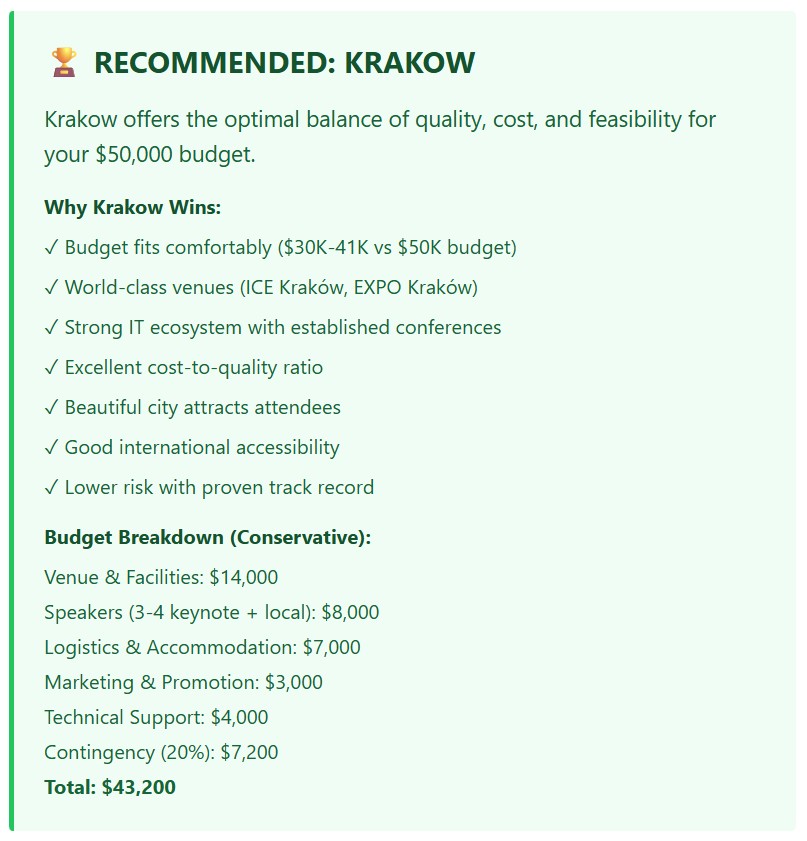
Explanation of final recommendation
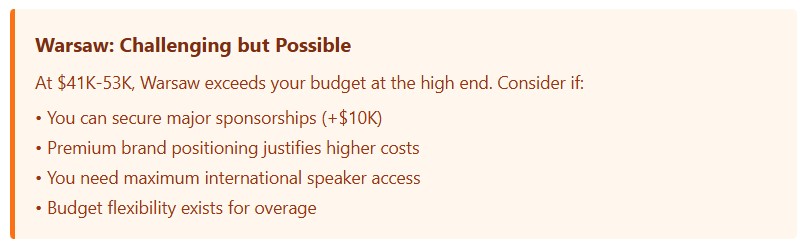
Overview of Warsaw-related risks
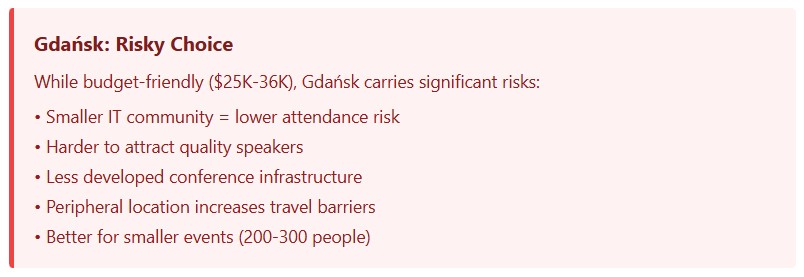
Overview of Gdansk-related risks
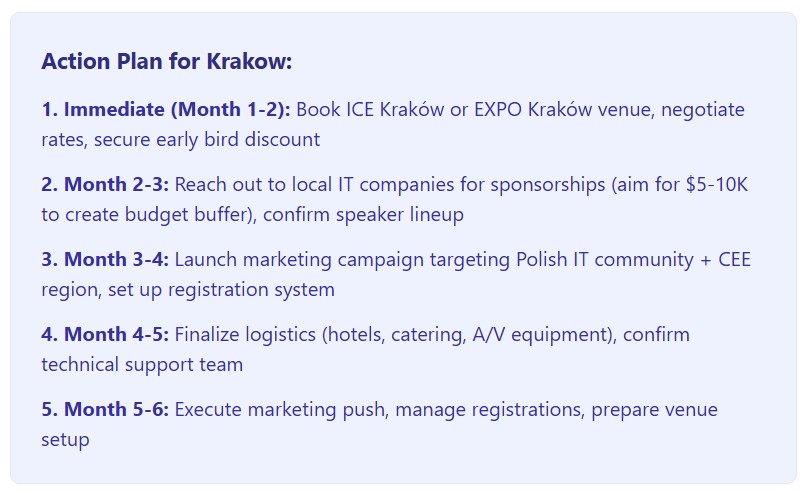
Action Plan for Krakow
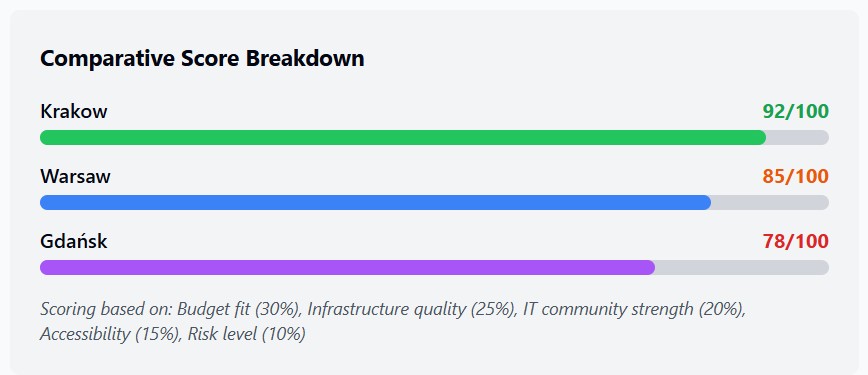
Comparative Score Breakdown
Reason and act (ReAct) prompting is an approach that allows LLMs to handle sophisticated tasks by combining natural language reasoning with third-party tools (such as code interpreters, search engines, etc.) This paradigm enables an LLM to perform actions (such as using external APIs), which represent a first step towards agent-like behavior. ReAct mimics human behaviour and interaction in the real world (e.g., communicating, taking actions to gather information, etc.). Because of this, ReAct is a strong choice compared to other prompting techniques across a wide range of domains. ReAct works as a combination of reasoning and acting in a thought-action loop. The LLM thinks about the problem, creates a plan of action, executes it, and observes the result. These observations are then used to refine its reasoning and generate a new plan of action. This loop continues until the LLM determines it has found a solution to the problem. For example:
Using Reason and Act to prompt an LLM to solve a task

Receiving a correct answer
Thank you for your time, and I hope you found this informative.